Author: remscar

  • Item System

    In classic Morbus the only things you could pick up were weapons and ammo. Utility items like Medkits, glowsticks, grenades, etc, were essentially just weapons as well. This was simple and it was how things typically worked in Garry’s Mod at the time.

    In this iteration of Morbus I wanted more flexibility; what if not every item is a weapon? Therefore I’ve created an Item System.

    Items

    This system is based off of what i’ve learned from working on my preivous game Shoothouse. It worked pretty well and so I’m using a similiar system for Morbus. Let’s dive into how it works:

    There are four major parts of this item system;

    Item Definition

    This describes what an item is, you can think of it as the template or archetype of any given item. It contains things like:

    • The unique identifier for this type of item
      • I use strings, and call it a “classname” ie “Item Class Name”
    • The user-friendlyname of the item ie “Display Name”
    • The Icon that represents this item
    • The 3D model that represents this item

    Since all of these attributes would be the same across all types of items, they’re stored inside of the item definition.

    I also have derived ItemDefinition types, for instance I have an FirearmItemDefinition which describes things like a firearm’s damage, RPM, etc.

    There’s a Items.Definitions.cs file in my codebase where I define all the items in code, via a helper builder class I made, it looks like this:

    This way I can do Items.GetDefinitionOf(“someitemclass”) anywhere and it will give me the definition of this item.

    I include firearm stats in the item definition for two reasons

    • If I ever need to query the stats of a firearm item, they are already inside of the item definition
      • This assumes all firearms of a type have the same stats
    • All firearms that get created via item (more on this later) have their stats copied from the item definition into the firearm itself
      • I can look at all firearm stats in one place (and in code!), making it easier to update and balance them

    Item Instance

    An item instance represents an “instance of an item” and it must reference an Item Definition so we know what type of item this instance is of. It’s kind of like an instance of a class vs the class itself.

    Right now ItemInstance is incredibly lightweight, it only contains an “Item Instance Id” which is stored as a Guid and a “Item Definition” which is a reference to one of our Item Definitions.

    In the future we can either add more attributes to the Item Instance, or we can create derived Item Instance types for specialized types of items.

    For instance if our item was a Medkit Item, we could create a MedKitItemInstance which has an additional property “Charges” which would record how many charges our medkit has before it is empty.

    The Item Instance is also where all of the logic lives for what happens when a player “picks up the item”, “drops the item”, “has the item removed from their inventory.” Most of these are empty or virtual at the ItemInstance level but some cool things happen in some of our derived types.

    The best example right now is in Morbus we have a CarriableItemInstance which is used for any “Carriable Item” (these will refer to a CarriableItemDefintion that is derived from ItemDefinition.)

    A “Carriable” is refers to something that “A player can carry in their hands, ie a weapon, medkit, grenade, etc.” For a player to actually have a carriable in Morbus we have to create a gameobject to represent this carriable, and parent it to the player’s pawn. Then we have another system that manages which carriable is currently in the player’s hands and when to swap.

    Now when a player picks up a carriable item, we need to create that gameobject that is the carriable (for example if it was a gun, the gun itself.) The CarriableItemInstance is where this logic exists of “create and parent the carriable game object when the player picks up the carriable item” as well as the inverse of “the player has lost the carriable item, so we must destroy the carriable game object”

    If you care about code; here’s how it looks

    pawn.GiveCarriable is a helper function which essentially;

    • Creates the carriable game object
    • Parents it to the player’s pawn

    While pawn.RemoveCarriable does the inverse

    Meanwhile our “Carriable Object” also gains a reference via Carriable.ItemInstance back to the CarriableItemInstance that it is representing.

    Represent is the key word here.

    Keep in mind that all of these are abstract concepts, that we are using these things to represent them.

    The Carriable Object represents the Item Instance in the game world.

    World Item (Component)

    While everything else we’ve talked about has just been some class/object, World Item is the first actual component we’ve created.

    World Item solves the problem of “How do we represent an item when a player drops the item from their inventory into the world, or there exists an item somwhere in the world for a player to pick up”

    We are tying the abstract concept of an “Item Instance” to a physical object in the world. This is similar to the Carriable Object we were referring to before, but the major difference is a World Item can be picked up by a player, while a Carriable Object was a physical representation of an item in a player’s possesion.

    Therefore we can imagine that the World Item has some sort of method on it that the Player will call to “pick up the item”

    This is already a code heavy post so how about we look at the code here too;

    This Pickup method (on WorldItem) is called by a player pawn when a player looks at a gameobject that has a WorldItem component, and presses their “Pickup Item” key.

    We can see that we verify that our WorldItem has a valid ItemInstance associated with it, and if it does, it “gives the item” to the player and then destroys the game object.

    Thus the player has the item and the “physical representation” of the item is destroyed.

    playerPawn.GiveItem adds the ItemInstance to the player’s inventory, you can think of their inventory as a list of ItemInstance’s and then calls functions like “OnPlayerPickup” on the ItemInstance.

    If our ItemInstance happens to be a CarriableItemInstance it calls that OnPlayerPickup we saw earlier which results in a “Carriable Game Object” being created and parented to the player’s pawn.

    I’ve said “Carriable Game Object” a little loosey goosey this post. When I say “Carriable Game Object” i mean “A game object which has a Carriable component and whatever else it needs” or “A game object that is represents a carriable thing, whether that thing is a gun, medkit, etc.”

    Item Manager

    The last piece of the puzzle.

    The Item Manager is a singleton component that “manages” all Item Instances in our game. By manages it really just keeps a big list of them and makes sure no funny business is happening.

    Since Morbus is a multiplayer game we need to make sure that all players are aware of all items that exist. Our manager solves this by telling all players whenever an item is created or removed.

    Bonus Component – World Item Placement

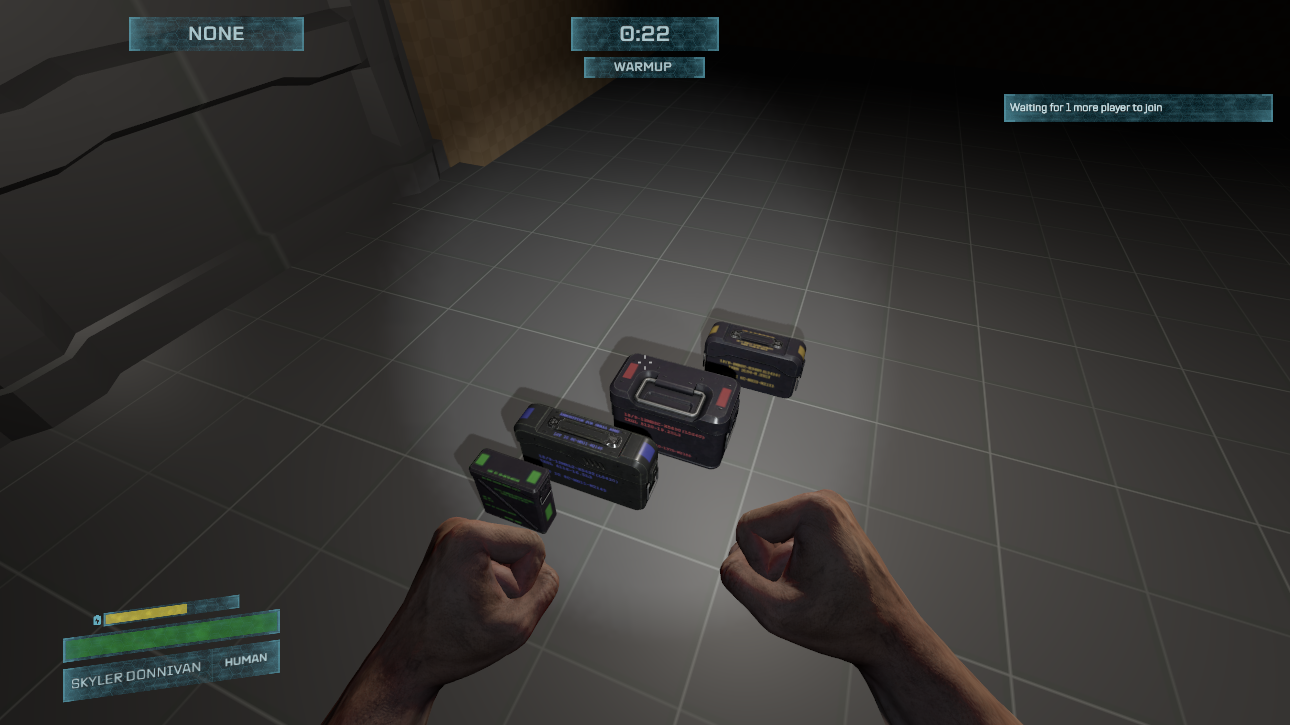
    In Morbus we need to seed the map with weapons, and so being able to visually place them would be ideal.

    It would also suck to place a bunch of items, and then later need to change the prefab or the game object that is these items. We’ve also discussed how every WorldItem needs an ItemInstance, but when the scene loads there are no ItemInstances created yet.

    Thus we have a World Item Placement component.

    When the scene is first loaded, this component will

    • Create an ItemInstance based on a given Item Class Name
    • Create a “World Item Game Object”
      • This is a game object with the World Item Component
      • A model renderer to represent the item
      • And everything else it needs (like a collider)

    When choosing the Item Class Name for a placement we can either give it a single value, thus garunteeing it will always be that type of item. Alternatively, we can give it a weighted list of class names, thus allowing us to make the item random.

    Things to Improve

    Right now there’s nothing that makes sure that an ItemInstance doesn’t exist in two places at once. This isn’t required at the moment but as complexity increases it will help prevent bugs. Solving this would be pretty simple, creating a lock on an item that must be unlocked by the user/consumer, or just having some sort of location id tracker to verify that when an item is moving from one place to another the request isn’t outdated.

    Item creation is also P2P right now, so any client could create an item and send it along the network. Cheaters will love this. A simple fix is making Item creation host authoritative and making sure whenever an item is created it happens for a valid reason. We’ll deal with the possibility of cheaters later.

    Overall

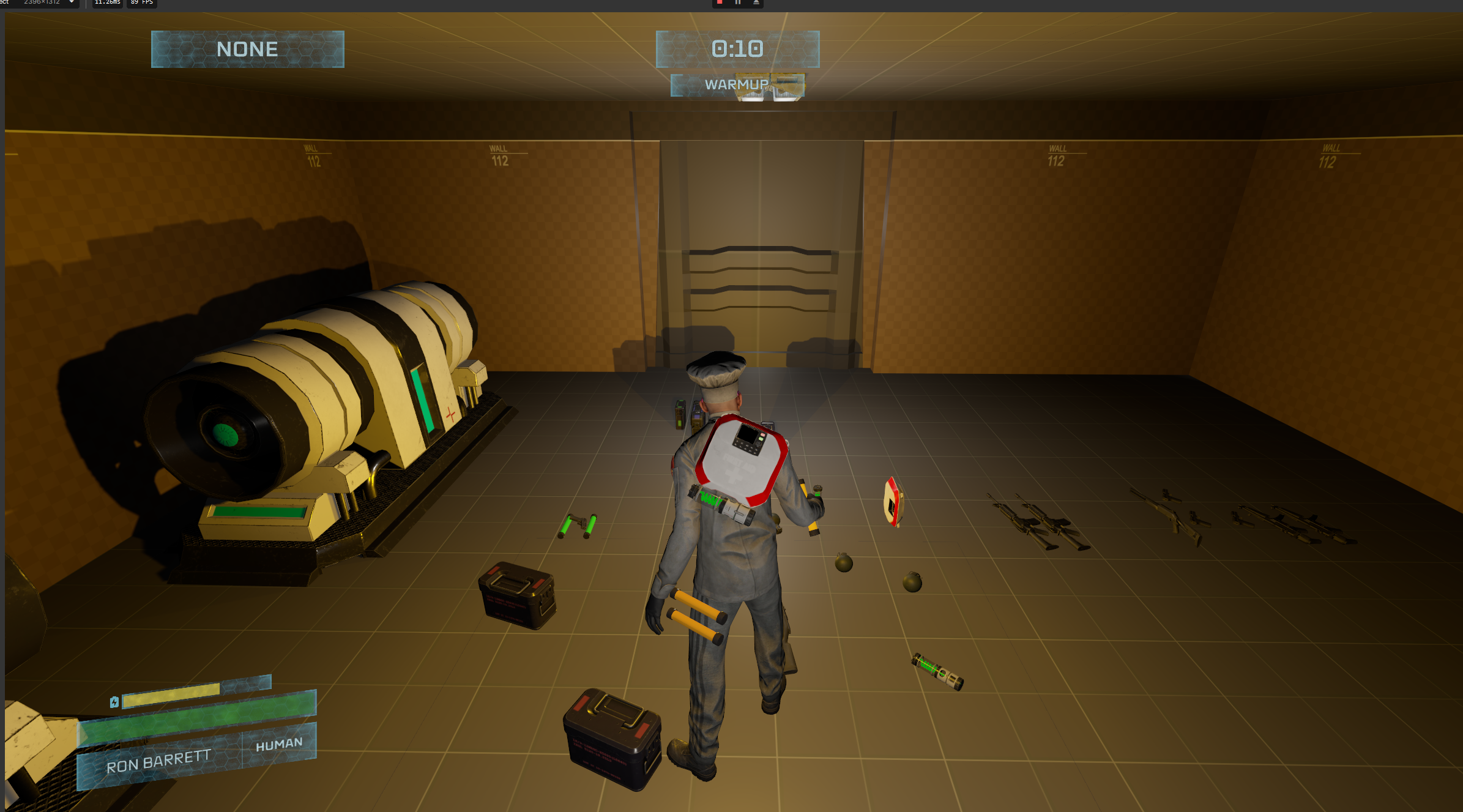
    It’s a simple system and I like it. Here’s a demo of it in game;

    In the demo we can see

    • Placing items in the world
    • Helper buttons that will move the item to be resting on a surface
    • Changing the type of item that will be spawned
    • Seeing the randomness
    • And then picking up items

    There’s also a bonus thing that I did with items in Morbus which is making it so a player can hold the world item in their hands without actually putting it in the players inventory.

  • One Full Round

    This is a tiny amount of work in the grand scheme of things, but it’s going to be a memorable moment.

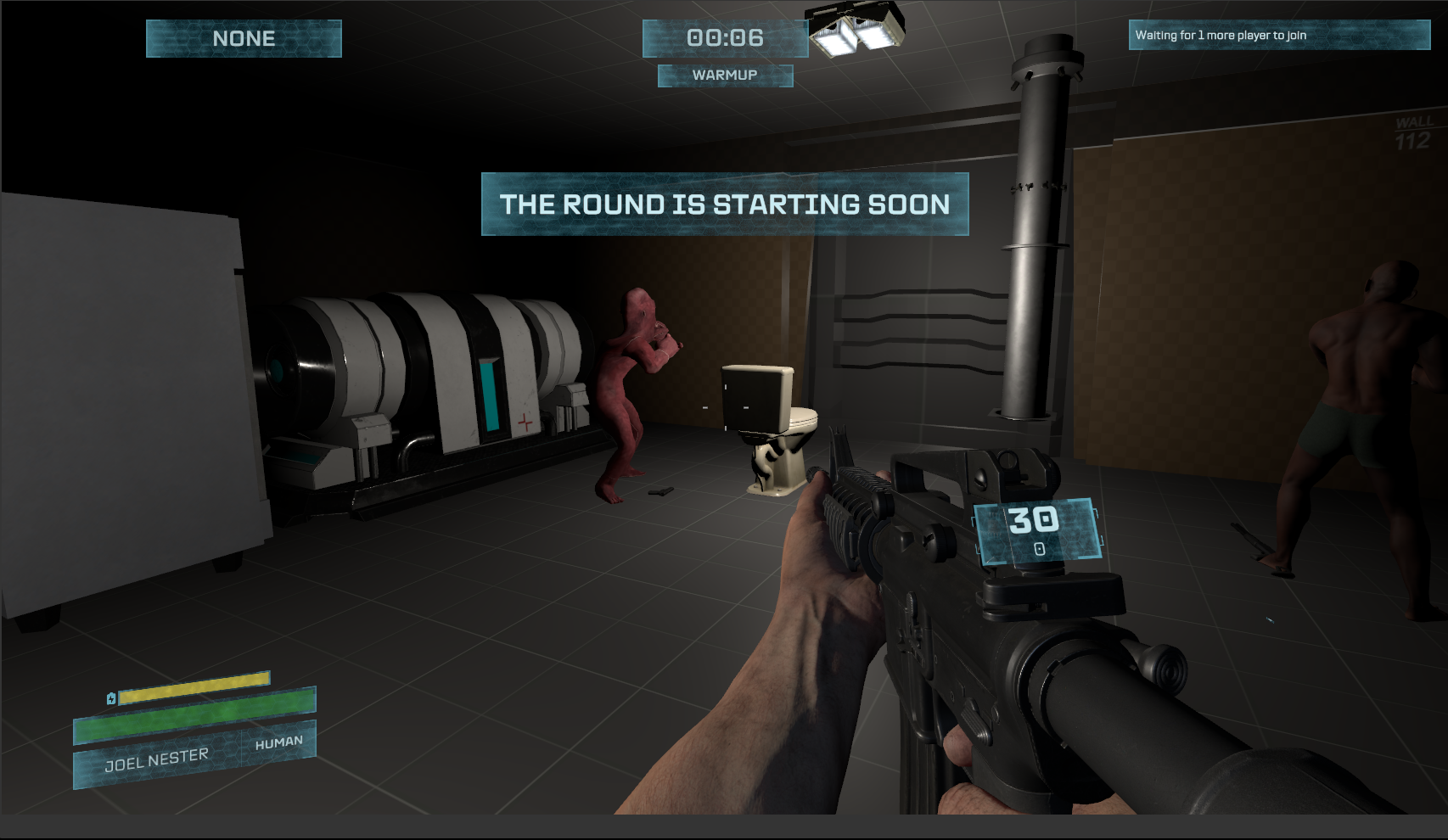
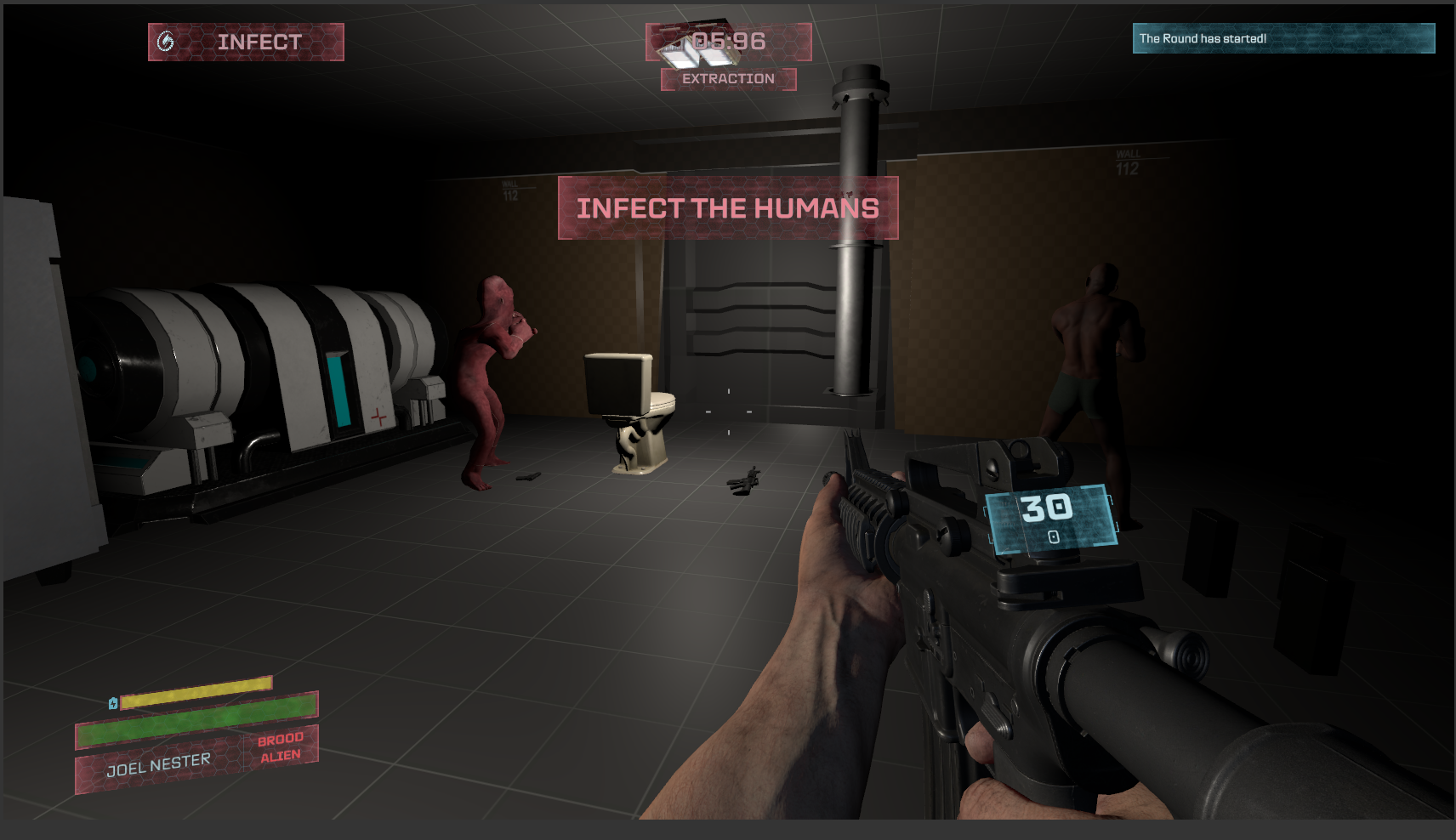
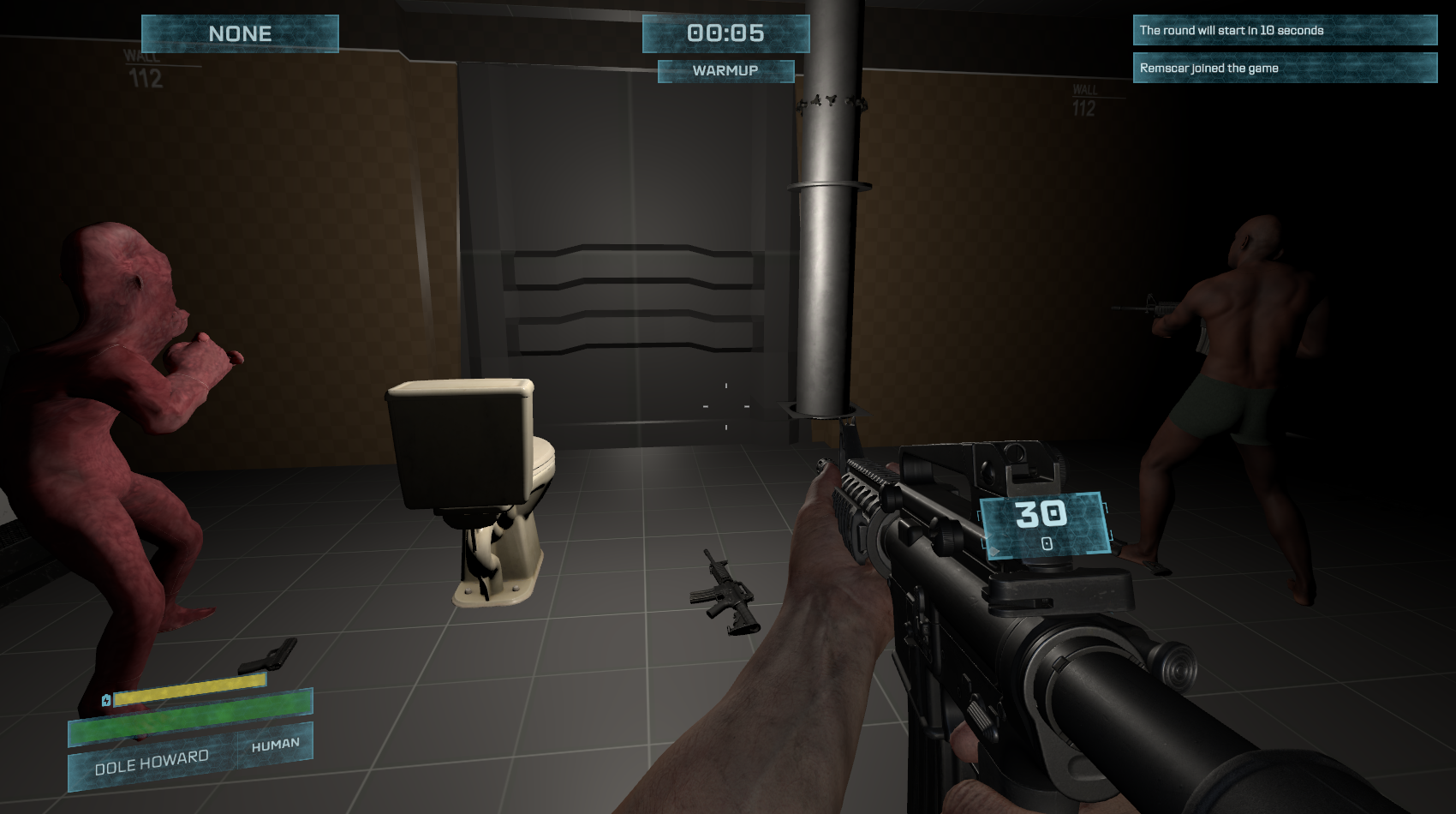
    Anyways, today marks the day of the first complete “round” in this version of Morbus. This is the core gameplay loop;

    • All players are spawned as humans in a “warm up” game state
    • A few (or one) player is chosen to be a brood alien
    • The brood alien player can transform into their brood alien form
    • If a human is killed by an alien in their alien form, they respawn as an alien
    • If a brood alien is killed, or a human is killed by guns, the player respawns as a swarm alien
    • If all brood aliens are killed, humans win and the game ends
    • If all humans are killed, aliens win and the game ends
    • After a short “cooldown” period, we restart

    This has all been implemented.

    Of course there are some bugs, like Brood Aliens can attack Swarm Aliens, and vice versa, but that’s a quality of life improvement 🙂

    I remember when I passed this milestone on the original Morbus in Garry’s Mod. I had spawned bots and used a console command to make them mirror my actions to test things out. (I should maybe build bots like that too.) This was all done in gm_construct back in the day, it’s amazing how far things have come since then.

    What’s Next

    I had to use the citizen model for the swarm alien and the brood alien claws I had made as well. So it would probably be a good idea to sculpt another derpy alien model for swarm aliens, both world and claw view models to serve as a placeholder.

    There’s no UI yet to tell you anything about what’s going on. I like to avoid building UI for as long as possible but it might already be time to have some sort of visual display of HP, Alien/Team status, Round State, and Victory/Defeat messages.

    Further On

    Humans right now spawn with a gun, this isn’t the Morbus way. They need to have only have a melee weapon (or maybe just fists) and find weapons and ammo in the environment. So we’ll need to build a system for

    • Items to be in the environment
    • Ability to pick up items
      • Either into an inventory or a weapon slot bar
    • Ability to drop items

    Ammo also needs to be handle, so we’ll need to decide how we want inventory to work. Do you have weapon slots like in the original Morbus, or do you have inventory slots that you get to decide how to fill?

    Also do we have items which are not weapons? So many decisions and things to think about! To keep things simple for myself I’m thinking I’ll just keep things the same as the original Morbus for now and then iterate upon them later.

    We also are going to need a map pretty soon. I’m going to look into seeing if I can somehow import the original spaceship map into S&Box and use that as a base.

  • Recoil Patterns and Networked Transformations

    This week has been a good week of progress.

    I want the guns in Morbus to feel good, much better than the original, so I made a system that recoils guns in a deterministic manner.

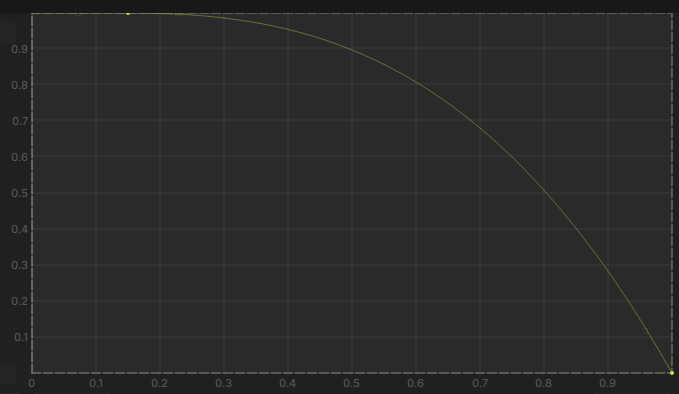
    I can adjust the horizontal and vertical pattern visually in the editor. They are two separate curves, with the X-axis being time and the Y axis being displacement. For horizontal recoil, y=0.5 means no movement, and for vertical y=0 means no movement.

    I think it would be cool to make the editor experience even better, combine them into a single editor and then view a singular curve. But that would require more work, and I don’t think the pay off would be worth it.

    What this all means in practice is that every time you fire a gun, the bullets are going to roughly land in the same place each time. This way you can better learn guns and their individual recoil patterns.

    There is still randomized spread, which is somewhat deterministic as well, so even if you can move your mouse to cancel out the recoil, the shots won’t always be centered.

    Two full magazines fired into the wall, the pattern is almost identical

    Brood Alien Transformation

    A Brood Alien transforming into their “true” alien form is critical to Morbus (duh) and so it’s of course one of the first things I’ve been working on.

    I’m using a “pawn” system for Morbus, where each “actor” in the game is “pawn” and players (or “clients”) can “possess” a pawn which in simple terms means they are controlling it.

    A Brood Alien player is going to have a human pawn since they need to be able to disguise themselves as a human. When they transform though I didn’t want to make a bunch of modifications to this “human” to make it into a “brood alien.”

    Instead what I do is I spawn a new “Brood Alien” pawn and have the Brood Alien player possess this pawn. The human pawn which the Brood Alien player was previously possessing is disabled (hidden).

    It was a bit tricky to get this working at first. I ran into problems with synchronizing camera positions from the human pawn to the brood alien pawn, and then back. It was a bit of a headache and it made me really think through the networking of pawns and who is responsible for what.

    It also exposed some things core to S&Box and it’s networking which i’m not the biggest fan of. The main thing being is there is no (simple) way of doing server authoritative networking code. Everything is made in a sort of “peer 2 peer” way, and you could have the “host” be a dedicated server, but it’s still expecting to receive transform (position, rotation, etc.) updates from clients. And what’s further annoying is that the host can’t override or force this transform.

    Or perhaps i’m missing something… but I don’t think I am.

    This seems really silly to me, and I know that cheaters are going to exploit this. But i’m going to leave that as a problem to solve another day and just focus on the happy path for now.

    Anyways, I got it all working, and as a part of everything i’ve been building, I immediately test it out in multiplayer.

    What’s Next

    Now that we can transform into alien form, and shoot some bullets at things, it’s time to build a simple game loop.

    We’re going to create the “Round System” to track rounds and when we should end a round and start a new one. This will let us test the core game loop and make sure networking is figured out for that.

  • Melee Combos

    In the original Morbus melee attacks were kinda boring.

    You would just hold down left click and you would keep doing the same attack over and over again.

    I thought it would be cooler if there was variation between attacks, thus I decided to make a “simple” combo system for melee attacks.

    How it works

    A “Melee Weapon” is a prefab in the game engine.

    The prefab has a component called “Melee Weapon” on it which defines the view model and some basic stuff about a weapon.

    It also has three properties “Primary” “Secondary” “Special” attack. These are opener attacks, and the user hits the primary, secondary, or special attack hotkey then the opener is triggered.

    Each of these attack properties must point to a “Melee Attack” component which contains data about what animation to play, the attack duration, hit windows, etc. These components also have a set of three “combo” properties for primary/secondary/special attacks.

    If a player is not doing any attack, then hits the “primary” attack button we trigger the primary attack opener. If then they shortly hit the “primary” attack button again, instead of doing another opener, we see if there is a “primary” combo, if so then we do that combo.

    Here’s how it looks in the editor right now:

    What’s something I don’t really like about how this looks in editor is each attack component just says “Melee Attack” so it could get really easy to mix attacks up. I might try to find a solution to this.

    How it’s looking in game

    I’ve been only working on this for a day so you can’t judge me too hard on the graphical fidelity. I sculpted, textured, and animated the arms myself. These are placeholders for now, but I wanted something that could be used in testing.

  • Why S&Box and is it even worth it?

    Over the last couple weeks I’ve talked a handful of people who’ve asked me questions akin to “Is S&Box even worth it?” “Why would you develop a game inside of S&Box” “Why not just use something like Unity or Unreal?”

    I think these are great questions and I wanted to write down my thoughts on them in one place.

    Is S&Box even worth it?

    This is a mixed question around the value of S&Box.

    S&Box right now is $20 to purchase, and then you get access to all the games inside of it. Beyond the monetary investment there’s also the time you need to invest to find and try games that you like, or to download the game files once you decide to try one.

    Some S&Box games can be pretty large, for instance Shoothouse a game I made is 1.3GB of files. This is after I optimized it down from the original 3.5GB of files it was before.

    On a 100Mbps connection it’ll take 2 minutes to download on Shoothouse. A Google search tells me the US average is 200-300Mbps so I think waiting ~1 minute to download Shoothouse isn’t too bad.

    Okay so it’s really just a money investment.

    $20 isn’t that much for a game. Call of Duty costs between $70-$100. There are a ton of AAA games that come out at the $60+ price range. Indie games seem to target $20.

    What baffles me is game prices have stayed relatively the same over the years. Sure the AAA titles creep up by $10 every 5 or so years, but the price of bread in my town has gone up a lot more in the past 10 years than a price of a game.

    But I digress.

    I think a lot of people who are going to immediately go to S&Box are going to be Garry’s Mod players, or former GMod players. They probably also purchased that game for $20 back in 2010-something. How many hours of fun did they have with Garry’s Mod over the years? 10, 100, 1000? Break down the fun per hour and it’s an incredible deal.

    S&Box is a platform with a ton of games. It just launched so there’s only a handful of gems right now. But in one, two, five years from now there’s going to be even more. The idea of S&Box not being worth it is absurd because there is potentially limitless fun to be had inside of it for a low price of $20. The bang for you buck is going to eclipse anything else.

    Maybe you won’t find games you like in it now, but you will eventually.

    So if you have a low risk tolerance and a low budget, no maybe it’s not worth it to you right now and that’s fair. But from a bigger picture view, a longer term view, it is very worth it.

    Why would you develop games in S&Box

    As a developer, I like it when people play my games. They tell me how fun it was, they tell me how it could be better.

    As someone who wants people to play my games, I need them to find my game first. There are a number of ways I could do this, I could post about it online, I could ask my friends to tell their friends, I could shill my game over and over.

    It’s the classic advertising problem. If people don’t know my game exists then they won’t know to play it. So where can I go where advertising is easy?

    What about a new platform? Like S&Box. There’s fewer games on it than something like Steam or Itchio so I have less competition to get on the front page, or the popular page, and so more people will see my game.

    This benefit doesn’t last forever, but there’s also other reasons.

    Say someone sees my game but they don’t know if they want to play it or not. Playing it might mean buying it first (if it were on Steam) so they might be dissuaded by the price tag. And even if they buy it, they have to sit on their desktop, looking at Steam, waiting for the game to download.

    Maybe they get bored and the just launch another game because the download is taking too long?

    When a player is inside of S&Box and they choose to play a game, they’re quickly taken to a loading screen where they download all the game assets and then are immediately taken into the game.

    There’s no waiting on your desktop, waiting for some 3rd party installers to run, waiting for the game to launch and maybe crash for some weird graphics card driver issue. You’re just in the game already.

    The friction to play is low. A single button click, perhaps two, is all it takes to start playing a game in S&Box. Finding and playing a game on Steam takes like a dozen button clicks.

    My first priority is to get people to play my game. I think reduced friction is important to this.

    It’s also free to players to play, so you take away the price friction. You can hop on in and play the game. The worst thing that happens for a player is that they lose some storage space on their computer and the time it took to download the files.

    Why not use Unity/Unreal/Godot/etc.

    I’ve used Unity in the past, and I was decently competent with Unreal 3. I haven’t played around with Godot very much but it does seem to be getting very powerful.

    I’m going to start with some specific reasons why I said no to each game engine and then i’ll go into the overall reasons.

    Unity

    I think Unity has become garbage over the years. I remember prototyping some cool stuff with it back in 2013-17 and it was by far my favorite game engine. C#, components, auto reload. It was cool, smooth, and easy. And then, I don’t know what happened.

    I stopped working on games for a few years and then I come back and Unity is garbage. There’s 3 different ways to do everything, there’s no clear reason why you should do one or another. Everything is more clunky and takes longer (compiling) and where I would’ve expected years of forward progress it just seems like they stagnated after 2017 and haven’t developed a single meaningful thing since then.

    Maybe that’s what happens when companies go public?

    Oh and also the engine isn’t open source, so if there’s a bug you can go pound sand.

    I don’t care about that licensing ordeal that happened a few years ago. It was stupid of them but stupid companies make stupid decisions sometimes. But it is clear to me, they just care about making money, not a good product.

    Unreal

    Unreal 3 was awesome. I only messed around with 4 and 5 a bit. The editor interface is slow as a snail and also pretty clunky. I think their blueprint system is stupid because visual scripting is always slower and less efficient.

    Unreal people have some weird fetish with C++. They think everything needs to be compiled and they hate scripting languages except for the visual ones (blueprint.) I spent years of my life learning C++ and i’m well aware of how good it is but like come on, let me write my gameplay logic in a higher level language. It’s just asinine that Unreal doesn’t support something like C# or a half decent scripting language.

    Unity always beat Unreal out when it came to quick iteration. C# or scripting will always beat C++ on iteration time. I think when you’re building a game you need to be able to iterate quickly. I want to write some code and test it as fast as possible. I want to change my code while the game is running and immediately see the changes without having to relaunch the game. These things should take seconds like less than 5 or 10 of them.

    Unreal is also just super performance demanding. Yeah it looks pretty but unless you have a team that can spend a year optimizing the game then only 10% of people can play your game. There’s so many videos online of people complaining about Unreal’s performance out of the box, or how their rendering pipeline has become garbage.

    They were the king at one point, not so much now.

    Maybe that’s what happens when you make the most successful game / IP in history and you stop caring about making your original product (a game engine.)

    Godot

    If S&Box doesn’t work out I guess i’ll give this a look more closely.

    Overall

    If you haven’t figured it out, for game development; I love scripting languages, or more precisely higher level languages. I think you should use the tool that best fits the job. Yes games need to be performant, but we have powerful computers nowadays and not every game needs to be that performant.

    If i’m building the latest Call of Duty or AAA, ultra fidelity graphics game, yeah maybe my player controller could be built in C++ because saving 0.5ms in my update loop matters.

    But i’m not building that.

    I spent years working in C++, then years in C#, then years in TypeScript. My favorite language is perhaps TypeScript or C#, sue me.

    Faster iteration = better. This is what it comes down to. Imagine if when you painted you had to wait 10 seconds to see how your stroke looks on the canvas? Awful.

    Another point about S&Box is contraints.

    In all of these game engines the sky is the limit. So many things, and in the case of Unreal, everything is open for you to change. S&Box though has a lot of constraints. There is one way to do a graphics pipeline. There is one way to do networking. There is one way to do XXX.

    I like constraints. They remove questions and ambiguity. I think the best art is made with constraints.

    I also think there is great things to learn about why the constraints exist. And after butting up against them and finding no way around them to do what you want to do you’re left with two choices. Do something else, or break those constraints.

    In S&Box you can in theory break those constraints. You’re allowed to fork the engine and just make a standalone game. But for 90% of the constraints that are in S&Box now, I think they’re there for good reason. That’s not so say there are some stupid ones right now, but some of those ones are unintentional or Facepunch knows about and is planning on changing.

    Mod to Game Pipeline

    I didn’t fully mention the angle of S&Box game to standalone game very much, but I think this is a very strong plus for S&box over any other game engine or platform. I believe that there are a lot of really amazing mods out there that never make it into being a full game because it’s too much work to port it to a real game engine.

    S&Box removes so much of this friction. You don’t have to rebuild the entire game, just detach the existing game from the things that S&Box provides. As a developer this excites me. It means that if I have a great idea I can graduate from free to play in a smaller platform to pay to play on Steam.

    I’ve always wanted to make games for a living, and I think the S&Box gives me the best chance of making this dream a reality.

    Closing remarks

    In summary, I think S&Box is great.

    It lowers the barrier between players and games, gives developers a fast and practical way to build and grow those games, and it’s just going to keep getting better.

    Nothing starts perfect, we are in the early days still and there’s only going to be more growth from here. Anyone who says S&Box is a dead game, or harps on “how hard it is to recover from a bad launch” doesn’t know what they’re talking about. They’re saying these things to sound sensational and get attention. It’s like Fox News. They aren’t looking at the big picture, they aren’t seeing the value proposition of S&Box.

    Even if the platform side of S&Box disappeared, I would still probably use S&Box for game development. I like those constraints it gives, I like C#, and I also just kind of like the Source engine.

    Anyways, thanks for reading. I hope you learned something and if you have questions or think I missed something then please let me know.

  • To make a brood or not

    One of the first things i’m working on with Morbus is implementing the player pawn / controller system.

    What components represent a controllable actor in the scene, how do we handle logic to control this pawn, etc.

    A great test to see if the system works would be to build the human -> brood sequence. In my mind a player who is a brood alien would be interacting with two separate pawns, a human pawn, and a brood alien pawn. When they transform from human to brood their human pawn will be replaced with a brood alien pawn.

    Then when they transform back the pawns are swapped again.

    Where the human/brood alien pawn goes when they are transformed, not sure yet, but that’s the thought process so far.

    Brood Alien Model

    I didn’t want to use the human model for the brood alien so I was messing around with Blender and sculpting the human model to try and make it look gross and alien. Thing is i’m really bad at sculpting and I don’t really know what i’m doing.

    I watched a couple videos and I did figure out a few more sculpting techniques though, and then I learned how to texture paint which I used to paint some gross organic textures.

    I discovered morph targets and thought it could be interesting to explore having the skin pulse and writhe.

    In the end I created this model, it’s temporary and i’m not going to mess around with it further. It’s good enough for the moment. I’ve already reached out to the person who did the monsters in Shoothouse to work on a more permanent Brood Alien model.

  • Morbus is returning

    It’s been a long time since I worked on Morbus and I’m excited to say that I’ve started to work on Morbus again.

    I have a lot planned for Morbus and I’ll be adding blog posts on this website as development continues.

    The first steps for Morbus is to build it inside of S&Box.

    I’ve been working in S&Box for the past 8ish months and I think it’s a great place to build games, you can read about my experience working on a game in it here.

    Inside of S&Box, Morbus will be free for people to play, it will be a great place to build the game, test new ideas, and rekindle the community that played Morbus back in it’s prime on Garry’s Mod.

    Once Morbus matures more, and if it proves to be as fun as it was in Garry’s Mod, it will be further expanded and released as a stand alone title.

    I imagine this is going to take a long time and I’m committing towards working on Morbus essentially full time.

    Want to help?

    Right now it’s just me (Remscar) working on Morbus. I want the game to be bigger and better than it ever was on Garry’s Mod and I really believe Morbus has the potential. If you’d like to work together and make this a reality, reach out to me!